



 Eggxpert Review
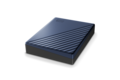
WD 5TB Blue My Passport Ultra Portable Storage External Hard Drive USB-C for PC/Windows (WDBFTM0050BBL-WESN)
SKU: 9SIA12KJ1P4619Thương hiệu: KHAC
Còn hàng· Giao hàng sau 3 ngày
5.177.055 ₫
Giá chưa gồm VAT 8% · Đã gồm VAT: 5.591.219 ₫ / sản phẩm
Điện ước tính: 86 kWh/tháng · ~280.800 ₫/thángTính TCO chi tiết
Tạm tính: 5.177.055 ₫
Bảo hành 36 tháng
Chính hãng
Giao sau 3 ngày
Toàn quốc
Hỗ trợ kỹ thuật
24/7 qua hotline
Hoá đơn VAT
Đầy đủ, đúng hạn
Mua càng nhiều, giá càng tốt
| Số lượng | Đơn giá | Tiết kiệm |
|---|---|---|
| 1–2 máy | 5.177.055 ₫ | — |
| 3–9 máy | 5.021.743 ₫ | −3% |
| từ 10 máy | 4.866.432 ₫ | −6% |
Giá trên chưa gồm VAT. Đơn từ 20 máy trở lên hoặc kèm dịch vụ triển khai, gọi 1900 636 106 để có mức riêng.
Máy lắp vừa linh kiện này
tham khảo theo thông số trên tên hàngMô tả sản phẩm
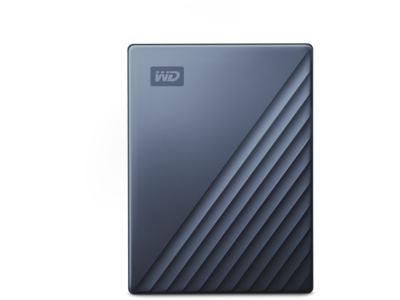
My Passport Ultra 5TB Blue
Equipped with USB-C™ technology, the My Passport™ Ultra portable drive offers an easy way to expand your storage with a modern metal design that complements your PC. It’s Windows® ready out of the box to seamlessly deliver plug-and-play storage, while password protection with hardware encryption helps enforce the security of your content. And with up to 5TB1 of storage and a 3-year limited warranty, you get storage to rely on for years to come.
Media

USB 3.2 Gen 1/USB 3.0 Compatible
Featuring USB-C™ technology, the My Passport™ Ultra portable drive delivers quick and easy storage for your PC, while the included USB 3.2 Gen1/USB 3.0 adapter makes sure it’s compatible with older machines.
Innovative Style And Function
Fusing modern anodized metal and textures, the My Passport™ Ultra portable drive is available in a variety of colors to seamlessly match your personal style and the latest computers.
Works on Windows and Mac
My Passport Ultra is formatted for Windows® 10+ to deliver plug-and-play storage out of the box. With WD software, you can also download the NTFS driver for macOS, so you can work seamlessly between operating systems without reformatting.
Easy-To-Use Backup Software
For your photos, videos or business documents, the backup software2 included makes it easy to help protect what’s important to you by automating your backup routine. Simply download, plug in your drive and set your hourly, daily or monthly schedule.
Password Protection With 256-Bit AES Hardware Encryption
Built-in 256-bit AES hardware encryption with password protection helps keep your digital life’s contents secure. Just activate password protection and set your own personalized password using our downloadable software.
High Capacity
With up to 5TB1 of capacity, you have plenty of room to keep your photos, videos, music, and documents with you, wherever you go and in your control.
3-Year Limited Warranty
The My Passport Ultra drive is built using tried and true WD components for lasting endurance and comes with a 3-year limited warranty to deliver reliable storage you can depend on.
Specifications
| General | |
|---|---|
| Capacity | 5 TB |
| compatibility |
Windows® 10+ Downloadable NTFS driver to read⁄write on macOS 11+. Compatibility may vary depending on user’s hardware configuration and operating system. |
| Dimension | 4.33″ x 3.21″ x 0.83″ |
| Product Weight | 0.51lbs |
| Interface | USB 3.2 Gen 1 |
What’s in the Box
- My Passport Ultra Portable Storage
- SuperSpeed USB-C™ to USB-C cable (5Gbps)
- USB-C to USB-A adapter
- Software2 for device and file management and backup with password protection
- Quick install guide
var ccs_cc_args = ccs_cc_args || []; ccs_cc_args.push([‘mf’,’Western Digital’]); ccs_cc_args.push([‘pn’,’WDBFTM0050BBL-WESN’]); ccs_cc_args.push([‘upcean’, ”]); ccs_cc_args.push([‘lang’, ‘en’]); ccs_cc_args.push([‘market’, ‘US’]); (function () { var o = ccs_cc_args; o.push([‘_SKey’, ‘1b1e8766’]); o.push([‘_ZoneId’, ‘faa3fafd5b’]); var sc = document.createElement(‘script’); sc.type = ‘text/javascript’; sc.async = true; sc.src = (‘https:’ == document.location.protocol ? ‘https://’ : ‘//’) + ‘cdn.cs.1worldsync.com/jsc/h1ws.js’; var n = document.getElementsByTagName(‘script’)[0]; n.parentNode.insertBefore(sc, n); })();
Learn more about the Western Digital WDBFTM0050BBL-WESN
| Best Seller Ranking | #35 in Portable External Hard Drives |
|---|
| Brand | WD |
|---|---|
| Series | My Passport Ultra |
| Model | WDBFTM0050BBL-WESN |
| Color | Blue |
|---|---|
| Interface Interface | USB 3.0 |
| Capacity | 5TB |
| Features | USB-C and USB 3.1 Compatible Featuring USB-C technology, the My Passport Ultra portable drive delivers quick and easy storage for your PC, while the included USB 3.1 adapter makes sure it’s compatible with older machines. Password Protection with 256-bit AES Hardware Encryption Innovative Style and Function Get More Out of WD Discovery Easy-to-Use Auto Backup Software Windows Ready *Internet activation required. |
|---|---|
| System Requirements | Windows 10, 8.1 or 7 Downloadable NTFS driver to read/write on macOS Reformatting required to use Time Machine on macOS Compatibility may vary depending on user’s hardware configuration and operating system |
| Dimensions | 0.83″ x 3.21″ x 4.33″ |
|---|---|
| Weight | 0.51 lb. |
| Package Contents | My Passport Ultra Portable Storage USB-C cable with USB 3.1 adapter WD Discovery software* for WD Backup and WD Drive Utilities Quick install guide *Internet activation required |
|---|
| Date First Available | July 13, 2022 |
|---|
Good Hardware OK software11/12/2018 4:54:05 PM
Pros: Western Digital is a leading name in mechanical hard disks
Three year warranty
Toll Free Support 7 days a week by
Knowledgeable and Friendly Staff
USB-C 3.0
Attractive Design
Two TB
Cons: Very short USB cable
WD drive utilities. The app did not find other WD drives in my computer. I have two.
Backup is a 32 bit program according to Windows task manager
Overall Review: I utilized the Passport Ultra on several home computers (desktops and laptops) and as a USB storage device on my Asus RT-AC66R router (it worked as the router said it should). I attempted to use it as a USB device on my Blu-Ray player but it was not recognized. My Blu-Ray is old.
Device recognition of the Passport Ultra was not a problem on any of my computers. The software included on the Passport Ultra (Install Discovery for Windows) would not setup on one, of three, Win 7 systems but it did automatically download a version that did. I had no problems on my Win 10 computers.
The Passport Ultra allows for import of cloud storage and social media data, which include Dropbox, Google Drive, One Drive, Facebook and Instagram. It seems to me that only FB and Instagram are of real value, after all cloud storage is back-up but one can’t have too many backups I suppose. I tried out the FB backup feature and FB reported back to me through the WD app:
“Facebook has detected WD Discovery isn’t using a secure connection to transfer information. Until WD Discovery updates its security settings, you won’t be able to use Facebook to log into it.”
I did not pursue it. Perhaps a minor change in my FB security would allow the app to function as WD planned or a change in WD settings or even Windows. My FB security settings reveal I have no apps blocked.
Eleven possible apps were provided. Of which, three read “install” and eight read “learn more”. I installed WD backup and WD Drive Utilities. The backup software is straight forward and needs little if any explanantion other then to write it is intuitive. I also installed the WD drive utilities. The app did not find other WD drives in my computer. That is bad form on WD’s part. If they would rename the app to “Passport Ultra Utilities” then it would be less of an issue. To register the device requires name, e-mail and country. The user may opt in to e-mails from WD. The info that I know is sent to WD is the product serial number. I followed the “learn more” lead to Acronis where I was offered software at an alleged reduced rate.
Norton will check files as they are backed up which slows down the process. More so when Norton needs to thoroughly processes a file, which it did, during the USB C benchmark. Disable Norton auto protect during backup if you can. Another problem I faced was the WD Backup stopping if Norton discovered a suspect file. This could of course lead the user into false security regarding what they think is backed up.
Back ups are saved to a folder (WD Backup.swstor) on the Passport Ultra. Mine somehow became corrupted and though I could utilize the disk in Windows explorer WD Backup reported “Unable to back up files to My Passport Ultra. Please make sure your drive is connected and accesible”. Restarts or switching USB inputs made no difference. WD has a toll free number which I located easily. I called on a Saturday night at 6 PM and was answered quick. The fellow was friendly, spoke with an accent but his diction was excellent and I had no trouble understanding him. I explained my plight and he asked a few necessary questions. I had registered the Passport just prior to calling and Mike knew what gear I was calling about. He asked if I minded if he looked at my desktop. It took a short time to set up. Mike advised I delete the file “WD Backup.swstor” on the Passport Ultra. After deletion the software worked fine. I asked if attaching the Passport to my Asus router had corrupted the file I had deleted. He assured me it had not. I tested that.
The WD Utilities offer very little: Drive Status Check, Run Quick Drive Test, Run Complete Drive Test, Sleep Timer, LED light on/off and Drive Erase.
Benchmarks:
14 minutes to back up 40.21 GB data via USB 3.1
14 minutes to back up 40.21 GB data via USB C with alternate freeware backup ver. 11
16 minutes to back up 41.00 GB data via USB C Norton was doing it’s job. (it’s also one of the “learn more” apps)
CrystalDiskMark 5.0.3 x64
Sequential Read (Q= 32,T= 1) : 131.590 MB/s
Sequential Write (Q= 32,T= 1) : 120.547 MB/s
Random Read 4KiB (Q= 32,T= 1) : 0.572 MB/s [ 139.6 IOPS]
Random Write 4KiB (Q= 32,T= 1) : 9.490 MB/s [ 2316.9 IOPS]
Sequential Read (T= 1) : 130.021 MB/s
Sequential Write (T= 1) : 123.736 MB/s
Random Read 4KiB (Q= 1,T= 1) : 0.501 MB/s [ 122.3 IOPS]
Random Write 4KiB (Q= 1,T= 1) : 10.029 MB/s [ 2448.5 IOPS]
Test : 1024 MiB [Y: 3.7% (68.9/1863.0 GiB)] (x1) [Interval=5 sec]
Date : 2018/10/29 14:20:51
OS : Windows 10 Pro
After spending time with the drive I give it a full recommendation. The three year warranty is nice. I am confident the drive will last longer then that .
My computer axiom is…”Ya can never have too many backups” The Passport Ultra makes it easy and safe.
Thanks to Eggxpert and WD for the opportunity
Offers secure compact convenience10/20/2018 1:03:06 PM
Pros: My drive came with the latest version of firmware after checking WD’s support site. After plugging it into my PC Windows 10 picked the drive up right away.
This drive is actually quite fast for an external compact platter drive. After running a few benchmarks (HD Tune and CrystalDiskMark) against two other compact USB drives I have it came out as the champion in in every category except seek time, where it was a very close second. I won’t post the numbers here as they are only relevant for drives on my PC. You could get totally different numbers on a different PC.
The drive remained cooler than I expected and quiet through a full 1.8TB backup session.
I really like its little metal body. Metal is tougher and distributes heat out of the drive better than a plastic body. Mine is a pleasing blue with attractive texturing on it. It’s size is equivalent to a smart phone.
I found that putting the cable into my USB 2.0 interface did slow it down noticeably and verifies along with my previous benchmarks, that it does take full advantage of the USB 3.0 bandwidths.
You can encrypt the data that goes onto this drive and protect is with a password using it’s built in features.
Cons: Wake from sleep feels too slow.
This included cable is too short to use for my PC setup.
It’s not a Solid State Drive. Speed wise, no platter drive compares with SSD’s period. But in return for slowness, you get a much cheaper price per terabyte of storage. However, if you are using this a mere data storage, platter drives are the way to go.
Overall Review: In the box is the drive, a USB-C to USB-C cable and a USB 3.0 to USB-C adapter. The latter two included items are what earn it the “Ultra” description. It comes with WD discovery software for WD backup, security and Drive utilities. They were nice to have and interesting to play with. It has a quick start guide which is but a multilingual sheet of paper with minimal instructions and your average legal jargon. I like the minimalistic approach. It also comes with a 3 year warranty. Drive models are available up to 4TB. Generally, the bigger you buy the less money you spend per terabyte. Protect, Share and Save. This sums up the purpose of this drive.
This feels like a great product overall and I would recommend it.
Another “My Passport” generational improvement – now with USB-C.10/6/2018 11:08:40 AM
Pros: SUMMARY
One of the most cost-efficient per Mb, portable, high-capacity, USB-C powered mechanical drives from the market leader.
THE LINE-UP
WD has a vast lineup of external hard drives which can sometimes be confusing. I have purchased many of these and still have to go over the various options each time. The “My Passport” series were originally designed to be a certain size (the size of a passport) and have gone through multiple generations. They currently come as “My Passport”, “My Passport for Mac”, “Ultra”, “Ultra for Mac”, “Wireless”, “Wireless SSD”, “SSD”, “Wireless Pro”, and “X”. WD also has a similar, small form factor “Elements” series.
The main differentiating feature of the “My Passport Ultra” over the “My Passport” is the USB-C interface with an included cable that can also be set up to be backward compatible to USB-A plugs. The “Ultra” series case has nice heat dissipating shiny metal on top and black plastic on the bottom with tiny rubber feet and an activity LED. I think it looks better than the previous generation metal design. WD tried to be green – using some recycled materials for the case.
Everything called “My Passport” has:
Option of hardware AES encryption.
3 year warranty
Up to 4 TB of storage (though WD doesn’t sell any 2.5 inch 4 TB laptop drives)
WD Discovery and WD Backup software
SIZE
Pretty amazing how something this small can hold 4TB (81.6 x 110 x 20.96 mm). I voided the warranty by taking it apart. One way the case is so small in length is that the USB-C controller is built into the drive. The shock absorption design inside the case is good.The drive inside looks like it likely uses 4 platters and is branded a blue WD drive. Unknown if they had to go SMR or if they still use PMR technology to get this density. The USB-C to USB-C cable has a removable adapter for one end so you can use it for older USB ports. The cable length with adapter is about 20 inches.
SOFTWARE
I have the “My Passport Ultra”. The root of my drive came with both an “Install Discovery for Windows.exe” and an “Install Discovery for Mac.dmg”. The windows software is designed to easily install and automatically can consolidate data from both online (like Facebook, Google Drive & Dropbox) and local data with the possibility of using AES-256 Encryption. The Encryption software can even add a “return-if-found” message should your drive become lost when travelling.
Mine was formatted as NTFS. Natively, this will mount on a Mac as read-only. WD provides a free downloadable version of the Paragon driver that will also let you write to NTFS from macOS – (worth about $20 if you had to buy it yourself). Otherwise, if you wanted to use this on both mac and Win 7+ then you could reformat as exFAT. If you want Mac only then you could re-format as HFS.
If you are a mac-only person – buy the “My Passport Ultra for Mac” which has mac software and comes in mac format.
PERFORMANCE
I don’t believe the drive performance is much of an issue with these mechanical external portables and WD doesn’t even publish specs for them. My testing showed good performance – about 175/165 MB/s R/W attached to a Lenovo P71 laptop with SSD internal drives. Runs cool and quiet.
Cons: Life expectancy of mechanical drives used in an active/portable fashion is always an unknown so don’t let what’s on this drive be your only copy and properly eject NTFS drives from you system when unplugging. On the other hand, a 3 year warranty on a portable drive is really good.
If you haul it around alot – may want to buy a padded case/pouch (WD makes one for this product line).
The AES encryption should be considered consumer-level safety. There have been a couple papers and at least one security firm offering data recovery on these devices if you were to forget the password.
Overall Review: WD is a good company that is investing in diversification, broad product lines, and research (bought Sandisk, making Helium sealed 14 TB drives, etc.)
Over the years I have changed my thinking on how to use these external drives. With 4 TB available in something the size of a cell phone at this low price per MB, there are a lot of different use cases.
I think the most common use is still single-user backup of data. Most folks don’t have access to redundant servers and enormous amounts of cloud storage. With a 4 TB drive, the average user could back up multiple machines and even some small file servers if they have usb ports. This can be done in rotation for redundancy. There is no cheaper storage than external mechanical hard drive storage when factoring in labor. The bundled WD software is a decent option for the typical consumer. Remember, one RAID server does not qualify as backup and a couple external drives in rotation are a lot cheaper than building a second RAID server for backup. In a poll June, 2018 – 24% of people still never back up their computers. 26% only do it once per year.
The physical portability of moving 4 TB of data without depending on the network or the internet makes these ideal for the photo/video shoot, taking a library of videos around with you, storing virtual machine images, taking projects home from work, or plugging into an entertainment system, – all at speeds of more than 150 MB/sec.
Great drive for a reasonable price. Good warranty. Solid construction10/21/2018 2:58:49 PM
Pros: 4TB at an affordable price – storage is coming down in price
Seems solidly built. Will survive in a travel bag without being damaged
I’m impressed with how small and portable Western Digital was able to make this 4TB drive
Legacy USB-A connectors are still widely used. Thankfully this drive comes with an adapter!!!
Software is able to interface with cloud storage like Facebook, Dropbox, and Google Drive. It also offers a hardware based encryption with a dedicated chip for AES 256-bit encryption
Good styling – the blue is a dark blue and I think it looks nice
Solid warranty of 3 years both for parts and labor. Better than most companies. They will probably replace your drive, but I doubt they will try to recover your files for you
Cons: The included software is good, but definitely not needed. It’s geared more towards less experienced users who would prefer to click a button in the software over managing their backups manually
Overall Review: Requires NTFS driver for macOS to be able to share data between Windows and Macintosh
If you really want to take advantage of USB-C port speeds, consider a solid state drive. This works really well for large backups but would not be ideal for workloads that require lightning fast writes
I’m using this drive connected to my media PC for backups of movies, TV shows, and music. It works great because it is powered off of the laptops power and does not need additional cables, yet large enough capacity to fit everything
Half Hard Drive, Half Tank10/17/2018 3:59:16 PM
Pros: – I’ll lead with my personal top pro here. This drive is solid. I have 2 other portable ones; both are plastic. This drive carries some bulk and is definitely better suited for travel/getting banged around than the other two. Love it.
– Optional adapter lets you use this drive over your traditional USB connection or USB-C. Note, this doesn’t really net you any speed, it just gives you flexibility.
– Read/Write speeds match that of your standard 7200rpm platter drive.
– The silver/black design of the drive definitely looks higher end than that of the two drives I mentioned earlier that I use.
– 4TB of storage… Big drive, plenty of space.
– 3 Year Warranty. Good to note because you will most likely be transporting this drive so it’s nice to know you’re covered past the industry standard 1 year.
Cons: – There is only one thing I can think of and I did deduct an egg for this. I was excited when I got this drive, plugged it right in, and I hear a very faint clicking noise. I’m thinking to myself, “wow… did I just get a DOA?”
Windows did not pick up the drive.
So, first thing I did was unplug it. Wait for it to spin down. Plugged it back in and everything was fine. Actually, it’s been perfectly fine now over 2 weeks. No clicking since that one incident.
Overall Review: I’m really hoping that the clicking literally was just some one off because I really like this drive. I do frequently move around large amounts of data between home and work and my old 2TB drive was really pushing the limits. With the WD 4TB Passport, I have room to spare in a drive I’m actually comfortable bringing around.
Great portable drive!10/14/2018 5:27:31 PM
Pros: – Small, lightweight and ultra portable
– The casing is pretty sturdy, feels rugged and substantial. Most casings are cheap plastic but this is metal.
– Easy setup. Just plug and use. Windows 10 automatically recognized the drive and a folder popped up for use.
– Utilizes USB 3.0 which is now ubiquitous on modern computers. Allows for faster transfer speeds compared to legacy USB 2.0 which is still commonly used. Cable is included but its pretty short.
– USB-C
– Western Digital “Discovery” is also included on the drive which is a hub for drive diagnostics, managing other drives, software updates and notifications.
– 3 year warranty
– CrystalDiskMark SEQ: 172/165 r/w MB/s……4k: 0.621/1.754 r/w MB/s
– Speeds above are pretty decent compared to other drives in it’s class
Cons: – Not a fast drive in particular
Overall Review: After using this drive for about two weeks it’s a pretty solid drive. Speeds weren’t blazingly fast but tolerable. Performance isn’t really a priority when it comes to external drives such as this, that’s where an external SSD comes in. I have had some experience using Western Digital’s “Discovery” drive program in the past and it can sometimes a be a bit buggy. Having diagnostics and other drive settings available via the program is handy especially for those that are not tech savvy. I haven’t tried the import settings from cloud storage programs and I personally don’t really see any use for them. Just another marketing gimmick. Overall this is a great external drive that is decently priced with ample storage. There is a 4 TB version on the market as well but for most individuals 2 GB should suffice for basic data storage needs.
Great USB 3.0 Drive – Portable, Reliable, Fast11/15/2018 11:54:04 AM
Pros: • File transfer speeds are very fast @ 87MB/s for large files, e.g. 150-200GB.
• CrystalDiskMark benchmarking shows that the drive performs well when empty or full. (See other notes)
• Easy setup for Windows 10 – just plug it in and go.
• Slim profile. Sleek design. Lightweight. Dimensions are optimal for pants pocket.
• USB-A to USB-C interface for maximum compatibility.
• Decent transfer speeds, when drive is full or empty.
• Packaging is minimal and recyclable.
Cons: • A bit slippery in the hand.
Overall Review: • After a month of use, this drive has proven reliable. I use it for backups using Acronis True Image 2019, which WD Discovery recommends – the app that comes with the drive. This app really is not very useful for much – I have used it for over a year with two other drives.
• Benchmarks
• Empty drive:
———————————————————————–
CrystalDiskMark 6.0.1 x64 (UWP) (C) 2007-2018 hiyohiyo
Crystal Dew World : https://crystalmark.info/
———————————————————————–
* MB/s = 1,000,000 bytes/s [SATA/600 = 600,000,000 bytes/s]
* KB = 1000 bytes, KiB = 1024 bytes
Sequential Read (Q= 32,T= 1) : 139.063 MB/s
Sequential Write (Q= 32,T= 1) : 129.276 MB/s
Random Read 4KiB (Q= 8,T= 8) : 0.581 MB/s [ 141.8 IOPS]
Random Write 4KiB (Q= 8,T= 8) : 9.762 MB/s [ 2383.3 IOPS]
Random Read 4KiB (Q= 32,T= 1) : 0.578 MB/s [ 141.1 IOPS]
Random Write 4KiB (Q= 32,T= 1) : 9.281 MB/s [ 2265.9 IOPS]
Random Read 4KiB (Q= 1,T= 1) : 0.479 MB/s [ 116.9 IOPS]
Random Write 4KiB (Q= 1,T= 1) : 9.809 MB/s [ 2394.8 IOPS]
Test : 1024 MiB [F: 0.0% (0.3/1863.0 GiB)] (x5) [Interval=5 sec]
Date : 2018/11/15 8:08:24
OS : Windows 10 Professional [10.0 Build 17134] (x64)
• Full drive:
———————————————————————–
CrystalDiskMark 6.0.1 x64 (UWP) (C) 2007-2018 hiyohiyo
Crystal Dew World : https://crystalmark.info/
———————————————————————–
* MB/s = 1,000,000 bytes/s [SATA/600 = 600,000,000 bytes/s]
* KB = 1000 bytes, KiB = 1024 bytes
Sequential Read (Q= 32,T= 1) : 141.316 MB/s
Sequential Write (Q= 32,T= 1) : 128.133 MB/s
Random Read 4KiB (Q= 8,T= 8) : 0.589 MB/s [ 143.8 IOPS]
Random Write 4KiB (Q= 8,T= 8) : 10.012 MB/s [ 2444.3 IOPS]
Random Read 4KiB (Q= 32,T= 1) : 0.580 MB/s [ 141.6 IOPS]
Random Write 4KiB (Q= 32,T= 1) : 9.657 MB/s [ 2357.7 IOPS]
Random Read 4KiB (Q= 1,T= 1) : 0.517 MB/s [ 126.2 IOPS]
Random Write 4KiB (Q= 1,T= 1) : 10.878 MB/s [ 2655.8 IOPS]
Test : 1024 MiB [F: 98.4% (1832.7/1863.0 GiB)] (x5) [Interval=5 sec]
Date : 2018/11/15 14:48:49
OS : Windows 10 Professional [10.0 Build 17134] (x64)
Fast, secure and attractive little drive10/6/2018 11:18:24 PM
Pros: Installation:
Installation was relatively easy. Removed from box, removed from blister pack, attach USB-C cable to drive and attach other end to computer. It also includes a USB-A (standard rectangle) to USB-C (oval shape) adapter, if your computer does not have a USB-C port. Cable is a heavy duty, but a very short 12-16″ long. User guide is on Western Digital’s website.
With Windows 8.1 already running, the drive was not automatically recognized. To get it recognized, I opened Windows Explorer -> right-click on “This PC” (My Computer in earlier versions of Windows), selected Storage -> Disk Management. From here, I found the disk with the approximate size (1862.99 GB for 2TB drive) and assigned it a drive letter. The drive is pre-formatted to NTFS. Typical install process for any new, mass storage drive, I just thought it would be easier with an external one.
Software:
Already on the drive is a program to install Western Digital’s “Discovery” for Windows or Mac.
Some of the features of this program include:
*It allows connected WD devices like WD My Passport and other supported drives to be managed under one application (My Cloud Home)
*It simplifies complex tasks like securing the drive with a password or managing drive settings
*It allows for device registration in order to receive important software updates and notifications
*It displays device status such as capacity, free space available, drive security and so on
This program has another potentially cool feature – it also allows you to import files from your other cloud accounts including Dropbox, Google Drive, OneDrive, Facebook, Instagram accounts, etc.
My results from trying to import from a few services:
* Google Drive – automatically downloads all of your Google Drive account and lets you set the destination, but doesn’t let you choose the source folders/files. You also can’t upload.
* Dropbox – automatically downloads all of your DropBox account and lets you set the destination, but doesn’t let you choose the source folders/files. You also can’t upload.
* Facebook – did not work, because Discovery tries to use a non-https URL.
There is a big icon for “My Cloud Home,” but that is a separate external backup system sold by WD and not relevant to this product.
There are other optional Apps you can install from the Discovery software, however only three are free “WD Drive Utilities”, “WD Security”, “WD Backup.” The paid apps say “Learn More.”
The password protection is under the security app and gives you 256-bit encryption to make this drive unbreakable – don’t lose the password!
Physical:
Blue/black case is a nice, anodized dark blue with some texturing. Seems sturdy enough to protect the contents.
Speed:
I compared the performance of this drive to my Seagate BarraCuda ST4000DM005 4TB. The results using CrystalDiskMark 2.2, HDTune 2.5.5 and copying internal files:
Seagate BarraCuda ST4000DM005 4TB 64MB Cache, 5900RPM
***CrystalDiskMark***
Seq: Read 170.5 MB/s / Write 159.6 MB/s
4K: Read 0.603 MB/s / Write 1.798 MB/s
***HDTune***
Maximum Transfer Rate = 197.4 MB/sec
Average Transfer Rate = 182.5 MB/sec
Minimum Transfer Rate = 139.6 MB/sec
Access time = 11.7 ms
Burst Rate = 197.4 MB/sec
1GB large file copy = 10.5 s
1GB small files copied (14,700 files) = 32 s
Western Digital My Passport Ultra 2TB
***CrystalDiskMark***
Seq: Read 346.4 MB/s / Write 129.6 MB/s
4K: Read 1.038 MB/s / Write 6.320 MB/s
***HDTune***
Maximum Transfer Rate = 249.3 MB/sec
Average Transfer Rate = 242.8 MB/sec
Minimum Transfer Rate = 129.6 MB/sec
Access time = 0.5 ms
Burst Rate = 165.9 MB/sec
1GB large file copy = 9s
1GB small files copied (14,700 files) = 32s
Wow! This drive cooks on sequential read rate (large file transfers), although write speed is a little slower than the 3.5″ drive. On the other hand, write speed for 4K (small file transfers), demolishes the other drive. However, in real world testing, it took the same amount of time to transfer small files as the Seagate BarraCuda. Without knowing the true specs, the 0.5 ms access time makes me believe this is a hybrid SSD-mechanical drive. Whatever – it works.
Warranty:
The warranty is three years, which is solid compared to competitors.
Noise:
Quiet – I could not hear the drive over my low speed case fans.
Cons: * Lack of import settings with software program
* No built-in ability to upload to cloud servers
* Cost premium for the lower capacity models
Overall Review: Overall, this is a fast, secure, light and attractive looking drive with a good warranty. While the software could use some work, if you are looking for portable storage, this is a great choice.
Điểm nổi bật
- Hàng chính hãng, bảo hành theo tiêu chuẩn nhà sản xuất