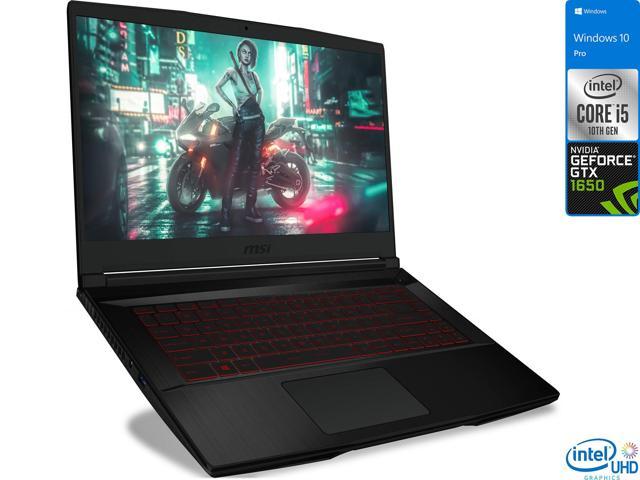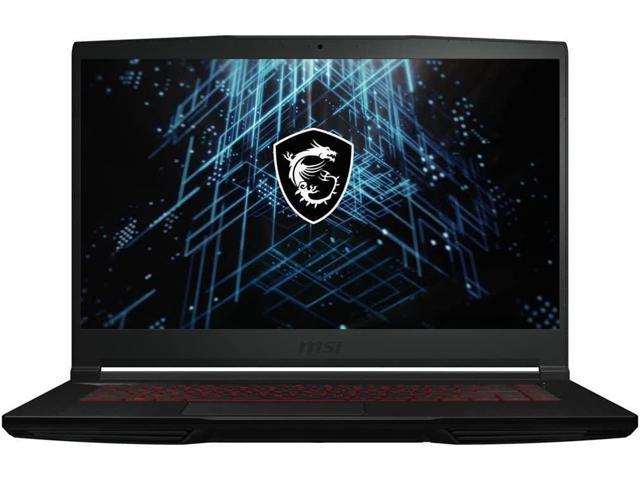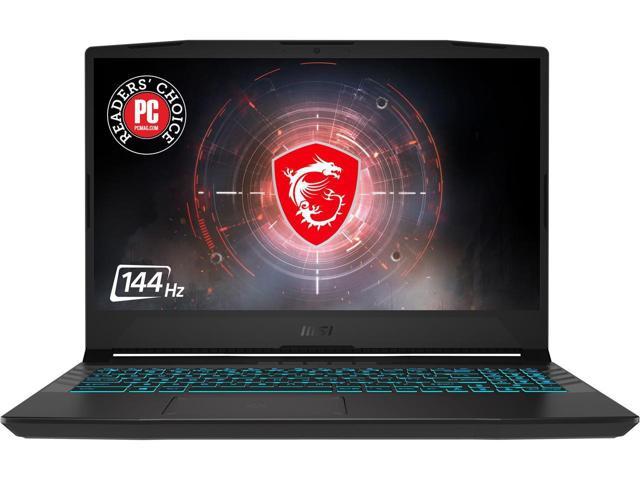

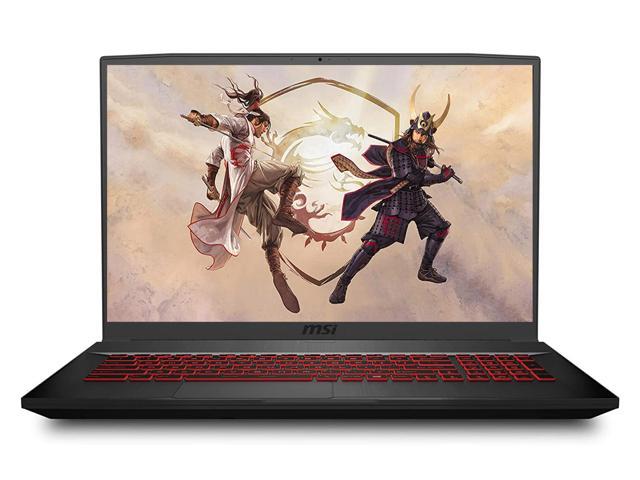
MSI GF Series – 15.6″ 120 Hz IPS – Intel Core i5 9th Gen 9300H (2.40GHz) – NVIDIA GeForce GTX 1660 Ti – 8 GB DDR4 – 512 GB NVMe SSD – Windows 10 Home 64-bit – Gaming Laptop (GF65 THIN 9SD )
SKU: 9SIA8X5H6N8234Thương hiệu: NVIDIA
Còn hàng· Giao hàng sau 3 ngày
43.427.670 ₫
Giá chưa gồm VAT 8% · Đã gồm VAT: 46.901.884 ₫ / sản phẩm
Hoặc thuê từ 1.447.589 ₫/tháng — phù hợp cho dự án ngắn hạn.
Điện ước tính: 648 kWh/tháng · ~2.106.000 ₫/thángTính TCO chi tiết
Tạm tính: 43.427.670 ₫
Bảo hành 24 tháng
Chính hãng
Giao sau 3 ngày
Toàn quốc
Hỗ trợ kỹ thuật
24/7 qua hotline
Hoá đơn VAT
Đầy đủ, đúng hạn
Mua càng nhiều, giá càng tốt
| Số lượng | Đơn giá | Tiết kiệm |
|---|---|---|
| 1–2 máy | 43.427.670 ₫ | — |
| 3–9 máy | 42.124.840 ₫ | −3% |
| từ 10 máy | 40.822.010 ₫ | −6% |
Giá trên chưa gồm VAT. Đơn từ 20 máy trở lên hoặc kèm dịch vụ triển khai, gọi 1900 636 106 để có mức riêng.
Máy lắp vừa linh kiện này
tham khảo theo thông số trên tên hàngMô tả sản phẩm
Learn more about the MSI GF65 THIN 9SD
| Brand | MSI |
|---|---|
| Series | GF Series |
| Model | GF65 THIN 9SD |
| Color | Black |
|---|---|
| Operating System Operating System | Windows 10 Home 64-bit |
| CPU CPU | Intel Core i5-9300H 2.40 GHz |
| Screen | 15.6″ 120 Hz IPS |
| Memory Memory | 8 GB DDR4 |
| Storage Storage | 512 GB NVMe SSD |
| Graphics Card Graphics Card | GeForce GTX 1660 Ti |
| Video Memory Video Memory | 6 GB GDDR6 |
| Dimensions (W x D x H) | 14.13″ x 9.99″ x 0.85″ |
| Weight | 4.10 lbs. |
| CPU Type | Intel Core i5 9th Gen |
|---|---|
| CPU Speed CPU Speed | 9300H (2.40GHz) |
| Number of Cores Number of Cores | Quad-core Processor |
| Core Name | Coffee Lake |
| Turbo Frequency Turbo Frequency | Up to 4.10 GHz |
| CPU L3 Cache CPU L3 Cache | 8 MB |
| Chipset | Intel HM370 |
|---|
| Screen Size Screen Size | 15.6″ |
|---|---|
| Touchscreen Touchscreen | No |
| Wide Screen Support Wide Screen Support | Yes |
| Resolution Resolution | 1920 x 1080 |
| Panel | IPS |
| Refresh Rate | 120 Hz |
| LCD Features | IPS-Level 120 Hz Thin Bezel |
| Operating System | Windows 10 Home 64-bit |
|---|
| GPU/VPU GPU/VPU | NVIDIA GeForce GTX 1660 Ti |
|---|---|
| Video Memory | 6GB |
| Graphic Type Graphic Type | Dedicated Card |
| SSD | 512 GB NVMe |
|---|
| Memory Memory | 8GB |
|---|---|
| Memory Speed | DDR4 2666 |
| Memory Spec | 8 GB x 1 |
| Memory Slot (Total) | 2 |
| Memory Slot (Available) | 1 |
| Max Memory Supported | 64 GB |
| Optical Drive Type | No |
|---|
| LAN LAN | QCA8171 |
|---|---|
| WLAN WLAN | Intel 9560 Jefferson Peak (2×2 802.11ac) |
| WiFi Generation | Wi-Fi 5 |
| Bluetooth Bluetooth | Bluetooth 5.0 |
| USB USB | 2 x USB 3.2 Gen 1 Type-C 2 x USB 3.2 Gen 1 Type-A |
|---|---|
| HDMI | 1 x HDMI (4K @ 30Hz) |
| Audio Ports | Headset AMP + Gold Flash jacks |
| Audio | Nahimic 3 |
|---|---|
| Speaker | Speakers 2W x 2 |
| Virtual Reality Ready | Yes |
|---|
| Touchpad | Multi Touch |
|---|---|
| Keyboard | Single backlight with Anti-Ghost key + silver lining |
| Backlit Keyboard | Backlit |
| Webcam Webcam | 720p HD Webcam |
| Style | Thin and Light |
|---|---|
| Type | Gaming |
| Usage | Consumer |
| AC Adapter | 180W Slim |
|---|---|
| Battery | 3-cell (51Whr) Li-Polymer |
| Dimensions (W x D x H) | 14.13″ x 9.99″ x 0.85″ |
|---|---|
| Weight | 4.10 lbs. |
| Date First Available | November 24, 2021 |
|---|
Low profile and 1660 TI great. single channel ram- WHY?1/15/2020 8:42:24 PM
Pros: 1660ti, additional NVME x3, low profile, 120Hz monitor
Cons: SINGLE CHANNEL RAM! , Screen quality isn’t the best (not the worst either)
Overall Review: Happy with the buy. But TRUST ME if you buy this make sure you get at least one more stick of ram to install and preferably buy two sticks rated at 2666Mhz with lower than 18 latency. You can get 2-8G sticks for decent price. Make sure it is 2666Mhz tho. DUAL CHANNEL RAM is a must! The performance with single channel ram is garbage, and I mean that.
MSI please explain why you set this up with 1 stick of ram? 2-4G sticks would have been much better. You have literally forced anyone that buys this laptop to break your factory seal and install additional RAM.
If you are not willing to open this puppy up then then do not buy!
Side note, I also installed another NVME x3 but in order for it to work I had to take out the existing nvme and install in the open slot then install my new one where the original was placed. Otherwise windows would not recognize it, although in the BOIS you could see it but that is about it.
All in all I am happy but ONLY after the added RAM, wait for this thing to go on sale if interested.
1660 ti is a very good GPU, frame rates at 1920×1080 are simply great.
Manufacturer Response:
Dear Scott,
Thank you for sharing your experience with the MSI GF65 THIN 9SD-008 notebook! If you ever require technical assistance, please feel free to contact our technical support department directly at 888.447.6564 from M to F, 5am to 4am Pacific Standard Time.
Thanks for choosing MSI!
Best Regards,
MSI Review Team
First impressions – great buy and value1/19/2020 9:52:16 AM
Pros: – Came almost completely updated. Very little to do.
– Easy to remove back panel and update RAM and add additional PCIe NMVe drive.
– Solid build
– Nice feeling keyboard and track-pad
– USB i/o working great all around
Cons: – Display has light bleed in bottom corners. Only noticeable in dark color displays and not distracting during normal use. Has been noted by other review sights. Still a very nice looking display.
– Battery life is not good. Just a few hours realistically.
– Black aluminum finish shows a lot of finger prints.
Overall Review: Overall a very good performing PC so far. I have not push the CPU or Nvidia card to max yet, but when I do I’ll update this review. So far everything moves beautifully in this system and the updated components I added are stable and required zero tweaks.
Added – 2 x 16 gb Crucial 2666 DDR4 RAM and a Samsung EVO 970 500GB to the second SSD PCIe slot.
Note: Do not buy a Silicon Power model PCIe NVMe SSD for this. It will likely not be seen or initialize. I found this by practice and found others who had the exact same issues with the same drive/laptop. You’ve been warned.
Manufacturer Response:
Dear Jonathan,
Thank you for sharing your experience with the MSI GF65 THIN 9SD-008 notebook! If you ever require technical assistance, please feel free to contact our technical support department directly at 888.447.6564 from M to F, 5am to 4am Pacific Standard Time.
Thanks for choosing MSI!
Best Regards,
MSI Review Team
Good laptop with a caveat11/8/2020 5:00:44 PM
Pros: Good performance and nice looking. haven’t pressed with any real hard games so take with a grain of salt.
Cons: Stickers on laptop are INSANELY stuck on. Impossible to remove glue.
Overall Review: Would not purchase an MSI laptop again, their price to performance isn’t good enough to forgive an inability to remove a sticker (huge sticker) Tried a ton of removal methods and it’s eating them all!
Just run from this laptop.2/9/2021 7:29:39 PM
Pros: Light for a gaming laptop. Theoretically, nice specs for good price. Monitor was ok, but honestly can’t tell the difference between a 120hz and a 60hz monitor. Theoretically, this laptop should have been pretty great.
Cons: – Flimsy construction. There is a reason it weighs 4 lbs. Also, be very careful when screwing the screws back in when attaching the bottom, lest you accidentally apply a bit of pressure and screw right through the plastic.
– Awful battery life, about 90 minutes if you’re lucky.
– Weird, extremely annoying static noise when laptop is plugged in and charge is near 100%.
– This laptop was advertised as VR ready. It never did manage to run Oculus Rift correctly, as I never got picture, and I know it wasn’t the Oculus. The Oculus worked just fine on a supposedly inferior Dell Inspiron 15 with a 1060 Max Q graphics card. Also, just 2 USB ports, both of which are not on the same side as the HDMI port, good luck trying to plug your Oculus in without having to use a USB hub. I had done some research which suggested that maybe the Video Card Bios was to blame for the lack of picture. When I reached out for support, I had suggested that maybe this was the issue. Support responded with no, the video bios wasn’t the issue, talk to Oculus support. I responded with a hey, the Oculus literally works on a Dell laptop as we speak, can you suggest another fix. I never heard from support again.
– HDMI port hated working with my Hisense TV, again, not the TVs fault.
– Tried using this laptop with 2 m2 drives, each with a windows 10 installation. I wanted to do work on one, and game on the other. Frequently, when switching between the 2, one would ultimately become corrupt for no reason and I would have to repair the corrupt registery. Eventually, I was not able to fix one of the Windows 10 drives, so I just used the second m2 as a storage device.
– The constant noise. The fans rarely stop running, even if you’re browsing the web.
I am sure there were other issues I had that I don’t remember at this point.
Overall Review: When I bought this, I was promised 6 hours of battery life and VR ready gaming. Neither of those ever happened. I had upgraded the RAM from 8gb to 24gb and installed a second m2 drive pretty much as soon as I got it. I shudder to think what this laptop would have been like without the upgrades.
They keys take some getting used to, especially the FN keys. After using many dell laptops and logitech keyboards, trying to change volume and brightness using the arrow keys on an MSI laptop took a while to adjust to.
I’ve had this laptop for 13 months. I’ve hated it for 12. Finally getting rid of it and literally never buying another MSI product because their support was sad.
Great specs for the price!1/23/2020 5:00:33 AM
Overall Review: Love the screen clarity
Manufacturer Response:
Dear Valued Customer,
Thank you for sharing your experience with the MSI notebook! If you ever require technical assistance, please feel free to contact our technical support department directly at 888.447.6564 from M to F, 5am to 4am Pacific Standard Time.
Thanks for choosing MSI!
Best Regards,
MSI Review Team
Điểm nổi bật
- 1 x HDMI (4K @ 30Hz) 2 x USB 3.2 Gen 1 Type-C 2 x USB 3.2 Gen 1 Type-A
- Nền tảng Intel Core
- Bộ nhớ DDR4 tối đa 8GB
Khách hàng cũng xem