

Sẵn hàngBH 36 tháng
Giá chưa gồm VAT 8% · Đã gồm VAT: 2.775.497 ₫ / sản phẩm
| Số lượng | Đơn giá | Tiết kiệm |
|---|---|---|
| 1–2 máy | 2.569.905 ₫ | — |
| 3–9 máy | 2.492.808 ₫ | −3% |
| từ 10 máy | 2.415.711 ₫ | −6% |
Giá trên chưa gồm VAT. Đơn từ 20 máy trở lên hoặc kèm dịch vụ triển khai, gọi 1900 636 106 để có mức riêng.
/* Insert SKU number in place of “sku-32-106-340” */
#overview-content.sku-32-106-340 .banner {width:100%; height:49px; margin-bottom:0; background:url(//images10.newegg.com/BizIntell/item/32/106/32-106-340/logo_040815.jpg) no-repeat left; }
#overview-content.sku-32-106-340 .main .main-image {height:239px; margin:0 auto 20px; background:url(//images10.newegg.com/BizIntell/item/32/106/32-106-340/1_040815.jpg) no-repeat center center; }
/* Title div for each module. All titles will be styled identically. Title text can be changed. */
#overview-content.sku-32-106-340 .title {margin:0 auto 20px; padding:5px 10px 3px; border:0; background-color:#494d56; color:white; text-align:left; font-size:15px; font-weight:bold;}
#overview-content .line{height:1px; border-top:1px dashed #d4d4d4;margin:10px 0;}
#overview-content .features.l-bulleted ul li {list-style: disc inside none; padding-left:0; margin-left:10px; margin-bottom:10px; }
#overview-content .features.l-grid {text-align:left; }
#overview-content .features.l-grid .features-box {display:inline-block; width:400px; margin:0 ; padding:20px; vertical-align:top; text-align:left; }
#overview-content .features.l-grid .features-box img {margin-bottom:10px; }
#overview-content .features.l-grid .features-box p {text-align:left; width:400px; margin:auto; }
#overview-content .features.l-grid .features-box2 {display:inline-block; width:250px; margin:0 ; padding:20px; vertical-align:top; text-align:left; }
#overview-content .features.l-grid .features-box2 img {margin-bottom:10px; }
#overview-content .features.l-grid .features-box2 p {text-align:left; width:250px; margin:auto; }


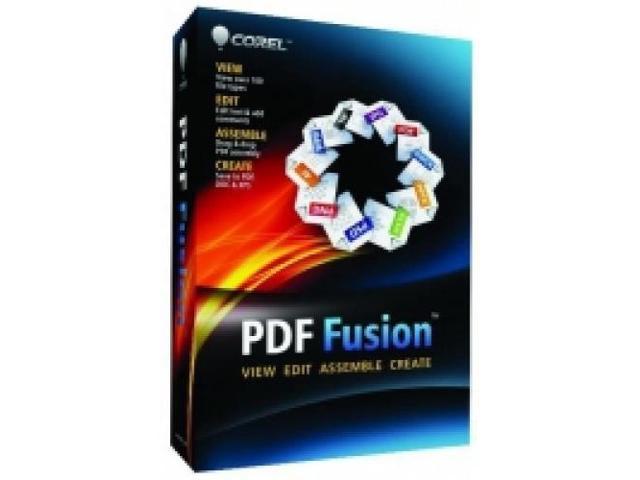
Every day, thousands of businesses around the world turn to PDF Fusion to handle their important PDF and document tasks. Whether you’re a large enterprise customer or a small, dedicated office, PDF Fusion is an all-in-one PDF solution that will help your business save money and function more effectively. Discover how PDF Fusion offers everything today’s businesses need to handle PDFs—all for a significantly lower cost than the competition!
See how PDF Fusion lets you quickly and easily organize all of your documents for business travel.
See how the easy-to-use Assembly feature in PDF Fusion lets you create a professional-looking business brochure.
See why PDF Fusion is the perfect way for lawyers to create comprehensive legal case files.
Whether you’re a company of 10 or 10,000, PDF Fusion has affordable volume pricing to suit any size and any budget. To see what kind of savings your organization can achieve, use the PDF Fusion Volume License Calculator. To learn how you can increase productivity and save your organization time and money using PDF Fusion, please also contact one of our helpful Sales Representatives.
PDF Fusion offers comprehensive technical support to handle all your needs, including online assistance and a toll-free help line staffed by knowledgeable experts. For added support, take advantage of flexible and cost-effective maintenance plans, which offer priority technical assistance as well as upgrade protection that ensures you always have the latest product patches, updates and versions.
Choose the deployment and installation method that best suits your business’s needs. PDF Fusion is available with Windows Installer File (.msi) packaging, enabling your IT staff to build a standard image for installation on multiple machines. Updates and upgrades are also available for instant download, ensuring your organization always has access to the latest versions. For added flexibility, PDF Fusion can be hosted on a Windows Server with access through Terminal Services or Citrix XenApp. With PDF Fusion, installation is quick, easy and painless.
Using new software often means taking the time to train employees. PDF Fusion, however, is incredibly easy to use, with an intuitive drag-and-drop interface that lets users become proficient in just minutes. For more advanced functions, PDF Fusion also offers built-in training tutorials that allow your users to get up to speed quickly and easily. Improve your business’s productivity with PDF Fusion—and reduce the number of calls to your IT helpdesk at the same time!
var wcCpi = ‘N82E16832106238’;
| Brand | Corel |
|---|---|
| Model | ESDCPDFF1EN |
| Type |
| Feature | View over 100 file types Open over 100 file types-even if you don’t have the software used to create the file! Open Microsoft Word, Microsoft Excel, Microsoft PowerPoint, Adobe Illustrator, Adobe Photoshop, Microsoft Visio and many other file types Choose from Page, Assembly or Flick views to work with your document Assemble new documents with ease Edit and rearrange content Create files in PDF, DOC and XPS formats |
|---|
| Name | PDF Fusion – Download |
|---|---|
| Operating Systems Supported Operating Systems Supported | Microsoft Windows 7, Windows Vista or Windows XP with latest service packs installed (32-bit and 64-bit editions) |
| Packaging Packaging | Download |
| System Requirements | 512 MB of RAM (1 GB recommended) 250 MB of available hard disk space 1.3 GHz or faster processor 1,024 x 768 screen resolution |
| Date First Available | May 28, 2013 |
|---|
Do you own this product?