

Canon PIXMA MG7520 Black (9489B002) 9600 dpi x 2400 dpi wireless/USB color Inkjet Photo Printer
SKU: 9SIA17PHG03194Thương hiệu: KHAC
Còn hàng· Giao hàng sau 3 ngày
26.257.725 ₫
Giá chưa gồm VAT 8% · Đã gồm VAT: 28.358.343 ₫ / sản phẩm
Hoặc thuê từ 875.258 ₫/tháng — phù hợp cho dự án ngắn hạn.
Điện ước tính: 86 kWh/tháng · ~280.800 ₫/thángTính TCO chi tiết
Tạm tính: 26.257.725 ₫
Bảo hành 36 tháng
Chính hãng
Giao sau 3 ngày
Toàn quốc
Hỗ trợ kỹ thuật
24/7 qua hotline
Hoá đơn VAT
Đầy đủ, đúng hạn
Mua càng nhiều, giá càng tốt
| Số lượng | Đơn giá | Tiết kiệm |
|---|---|---|
| 1–2 máy | 26.257.725 ₫ | — |
| 3–9 máy | 25.469.993 ₫ | −3% |
| từ 10 máy | 24.682.262 ₫ | −6% |
Giá trên chưa gồm VAT. Đơn từ 20 máy trở lên hoặc kèm dịch vụ triển khai, gọi 1900 636 106 để có mức riêng.
Máy lắp vừa linh kiện này
tham khảo theo thông số trên tên hàngMô tả sản phẩm
#overview-content.sku-28-142-943 .banner { width: 100%; height: 70px; margin-bottom: 0px; background: url(//images10.newegg.com/BizIntell/item/28/142/28-142-943/logo_100314.jpg) no-repeat left center; }
#overview-content.sku-28-142-943 .main .main-image { height: 380px; margin: 0 auto 20px; background: url(//images10.newegg.com/BizIntell/item/28/142/28-142-943/banner_100314.jpg) no-repeat center center; }
#overview-content .title { margin: 0 auto 20px; padding: 5px 0; border: 0; background-color:#e21a21; color:#fff; text-align: left; font-size: 14px; font-weight: bold; text-transform: uppercase; padding-left: 15px; }
#overview-content table { width:90%; margin: 0 auto; border-collapse:collapse; }
#overview-content table td { padding:8px 10px; text-align:left; border:1px solid#005581; }
#overview-content table .spec { background:#cbc8c9; color:#ff0314; font-weight:bold; }
#overview-content table .spec1 { background:#d4effb; }
Canon PIXMA MG7520 Color Inkjet Photo Printer
Printing from Your Tablet, Smartphone, or the Cloud can be Easy. The Proof is in the PIXMA.
- PIXMA Printing Solutions (PPS) app easily lets you print and scan photos or documents from your compatible mobile device. With the Cloud print function you can print directly from select online cloud services either at the printer itself or with your mobile device using the free PPS app.
- Gray ink helps produce professional-looking black & white and vibrant color photo prints.
- PIXMA Touch & Print lets you print a photo or document by simply opening PPS and touching your NFC compatible Android device to the printer.
- Enjoy an effortless and intuitive menu navigation experience with the 3.5-inch Touch Screen LCD.
- 9600 x 2400 maximum color dpi produces exceptional printing detail for beautiful photos.


SPEED & QUALITY

EASE OF USE

CONNECTIVITY

Specifications
| Print Speed | |
| 4″ x 6″ Borderless Photo: | Approx. 21 seconds |
| ESAT (Black): | Approx. 15.0ipm |
| ESAT (Color): | Approx. 10.0ipm |
| Number of Nozzles | |
| Color: 5,632 / Pigment Black: 1,024 / Total: 6,656 | |
| Picoliter Size (Color) | |
| 1, 2, and 5 | |
| Print Resolution | |
| Color: | Up to 9600 x 2400dpi |
| Pigment Black: | Up to 600 x 600dpi |
| Paper Sizes | |
| 4″ x 6″, 5″ x 7″, 8″ x 10″, Letter, Legal, U.S.#10 Envelope | |
| Media Compatibility | |
| Plain: | Plain Paper, Canon High Resolution Paper; |
| Super High Gloss: | Photo Paper Pro Platinum |
| Glossy: | Photo Paper Plus Glossy II, Photo Paper Glossy |
| Semi-Gloss: |
Photo Paper Plus Semi-Gloss, Photo Paper Pro Luster |
| Matte: | Matte Photo Paper |
| Envelope: | U.S.#10 Envelope |
| CD/DVD: | Printable CD/DVD/Blu-ray Disc |
| Paper Tray Capacity | |
| Lower Cassette: | 125 Sheets Plain Paper |
| Upper Cassette: |
20 Sheets Photo Paper 4″ x 6″ – or 10 Sheets Photo Paper 5″ x 7″ |
| COPY | |
| Copy Features | |
|
4-on-1 / 2-on-1 Copy, Auto Exposure Copy, Auto Photo Fix II, Borderless Copy, Disc Label Copy, Fade Restoration, Fit-to-Page, Frame Erase Copy, Photo Reprint, Preset Copy Ratios, Two-sided Copy |
|
| Copy Speed | |
| FCOT (Color): | Approx. 19 seconds |
| Reduction/Enlargement | |
| 25% – 400% | |
| SCAN | |
| Scan Features | Auto Scan Mode, Push Scan, Network Scan, Wireless Scanning |
| Scanner Type | Flatbed |
| Scanning Method | Contact Image Sensor (CIS) |
| Scanning Resolution | 2400 x 4800dpi (Optical), 19,200 x 19,200dpi (Interpolated) |
| Maximum Color Scanning Bit Depth | 48-bit Internal / 24-bit External |
| Maximum Document Size | 8.5″ x 11.7″ |
| BOX CONTENTS | |
|
|
Learn more about the Canon MG7520 Black
| Best Seller Ranking | #98 in Inkjet Printers |
|---|
| Cartridges Compatible | PGI-250 Pigment Black XL CLI-251 Cyan XL CLI-251 Magenta XL CLI-251 Yellow XL CLI-251 Grey XL CLI-251 Black XL PGI-250 Pigment Black CLI-251 Cyan CLI-251 Magenta CLI-251 Yellow CLI-251 Grey CLI-251 Black |
|---|
| Brand | Canon |
|---|---|
| Series | PIXMA |
| Model | MG7520 Black |
| Part Number | 9489B002AA |
| Recommended Use | Photo |
| Functions | 3-in-1: Print, Copy & Scan |
| Print Technology Print Technology | InkJet |
|---|---|
| Output Type | Color |
| Black Print Speed | Approx. 15.0 ipm |
| Color Print Speed | Approx. 10.0 ipm |
| Black Print Quality | 600 x 600 dpi |
| Color Print Quality | 9600 x 2400 dpi |
| Number of Nozzles | Color: 5,632 Pigment Black: 1,024 Total: 6,656 |
| Copy speed, Color | Up to 19 cpm |
|---|---|
| Copy Reduction / Enlargement | 25% – 400% |
| Copier Features | 4-on-1 / 2-on-1 Copy, Auto Exposure Copy, Auto Photo Fix II, Borderless Copy, Disc Label Copy, Fade Restoration, Fit-to-Page, Frame Erase Copy, Photo Reprint, Preset Copy Ratios, Two-sided Copy |
| Scan Resolution, Optical Scan Resolution, Optical | 2400 x 4800 dpi |
|---|---|
| Scan Resolution, Enhanced | 19200 x 19200 dpi |
| Scan Technology | 48-bit internal / 24-bit external |
| Scan Maximum Document Size | 8.5″ x 11.7″ |
| Scanner Features | Scanning Element: Contact Image Sensor (CIS)
Features: Auto Scan Mode, Push Scan, Network Scan, Wireless Scanning |
| Output Capacity, std. | Lower Cassette: 125 Sheets Plain Paper Upper Cassette: 20 Sheets Photo Paper 4″ x 6″ or 10 Sheets Photo Paper 5″ x 7″ |
|---|---|
| Media Type | Plain: Plain Paper, Canon High Resolution Paper Super High Gloss: Photo Paper Pro Platinum Glossy: Photo Paper Plus Glossy II, Photo Paper Glossy Semi-Gloss: Photo Paper Plus Semi-Gloss, Photo Paper Pro Luster Matte: Matte Photo Paper Envelope: U.S. #10 Envelope |
| Media sizes supported | 4″ x 6″, 5″ x 7″, 8″ x 10″, Letter, U.S. #10 Envelope |
| USB Ports | Hi-Speed USB |
|---|---|
| Network Ports | Ethernet |
| Other Ports | NFC (PIXMA Touch & Print) |
| Connectivity Technology | PictBridge (Wireless LAN) / Wireless LAN (IEEE 802.11b/g/n) |
| Digital Media Memory Card Compatibility | SD Card SDHC Card miniSD Card miniSDHC Card microSD Card microSDHC Card Memory Stick Duo Memory Stick PRO Duo Memory Stick Micro |
| Windows Compatible | Windows 8 Windows 8.1 Windows 7 Windows 7 SP1 Windows Vista SP1 Windows Vista SP2 Windows XP SP3 32-bit |
|---|---|
| Macintosh Compatible | Mac OS X v10.6.8 – 10.9 |
| Other | Mobile Operating Systems: iOS, Android, Windows RT |
| Features | Printer Features AirPrint, Auto 2-Sided Printing, Auto Photo Fix II, Borderless Printing, CD/DVD Printing, Document Printing, Easy PhotoPrint+, Full HD Movie Print, Special Filters, Grayscale Printing, Google Cloud Print, My Image Garden, Mobile Device Printing, Photo Direct Printing (Memory Card), Photo Printing, Cloud Link Printing, PIXMA Printing Solutions, PIXMA Touch & Print (NFC), Print from Email, Red-Eye Correction, Image Cropping, Quiet Mode, Web Template Print, Wireless PictBridge, Wireless Printing Other Features |
|---|
| Dimensions | 5.90″ x 17.20″ x 14.60″ |
|---|---|
| Weight | 17.40 lbs. |
| Date First Available | April 14, 2022 |
|---|
Anonymous
Ownership: 1 week to 1 month
Verified Owner
awesome pictures8/22/2015 3:46:22 AM
Pros: This thing is one bad mamajama for printing pictures. I have only used it twice for printing normal paper documents and it works fine (never really need to print all that much) but for printing photos on photo paper this thing rocks. You do have to get a little used to the software and make sure you always set it on the highest quality when printing and they come out great.
I picked this up mostly for printing pictures as it is one of the best ones out as of today for at home photo printing for under $150.
Cons: ink isn’t cheaper or free.
Works quite well, but uses quite a bit of ink3/20/2016 8:28:18 AM
Pros: I checked Consumer Reports for their recommendations and this was highly rated. We especially wanted a high quality scanner. This printer lives up to its rating. Scanner is excellent, but software is cumbersome to use. Has many features, but takes a lot of keystrokes to use. Can scan to PDF and assemble the pages. Scans to JPG and other formats, too. Printer is also quite good; can print on different sized paper fairly easily. Prints envelopes and business cards well. QuickBooks will print sheets of checks nicely. It prints pictures quite well, even without the grey cartridge. WiFi works fine, too. Copies excellent, but you have to load the pages manually, so doing a large document that way is tedious. Printer is compact and the controls on it work fine. Setup was easy with the included (PC) software (we didn’t try Mac software).
Cons: Does not have automatic paper feed for copying. Copying works fine, but without an auto feed, the process is tedious. Uses quite a bit of ink, so it pays to buy the extra large ink cartridges. While it uses separate ink cartridges for the colors, including grey for better printing of pictures, you end up buying color cartridges in sets, not separately, so that feature is less useful. Printer sometimes does not collate properly, but that may be a problem with the setup of the laptop my wife uses.
Overall Review: Haven’t tried the fax. Haven’t tried printing from phone or similar.
Fantastic printer10/27/2015 5:19:31 PM
Pros: Great color, clean prints, ect. What’s really awesome is that I run Linux on my main machine, and it works great with it!! Everything on the little interface on the printer is easy to understand. It acts and feels like a serious, preium machine. And to boot I got it at an insane discount from newegg!
Cons: None
Overall Review: Works great. If you can get it on sale even better.
Điểm nổi bật
- Hàng chính hãng, bảo hành theo tiêu chuẩn nhà sản xuất
Khách hàng cũng xem
Sẵn hàngBH 36 tháng
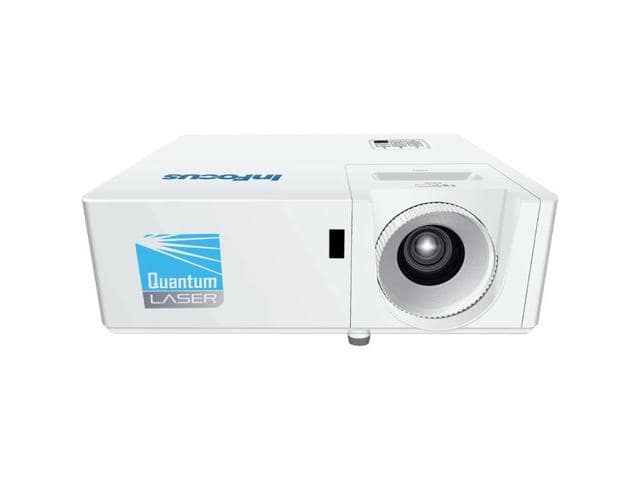
InFocus INL154 1024 x 768 3500 ANSI Lumens DLP Projector
Sẵn hàngBH 36 tháng
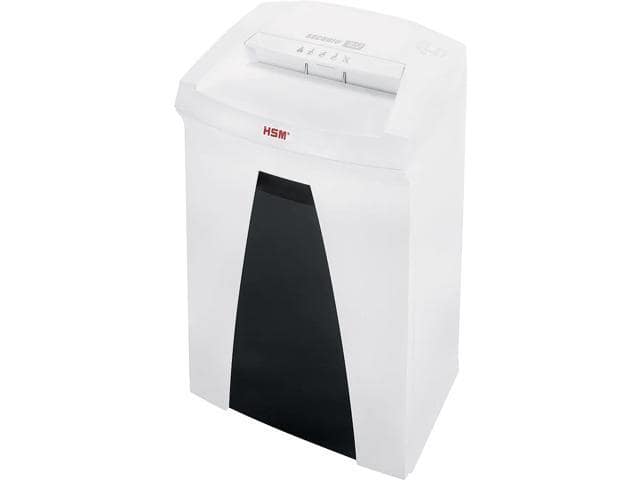
HSM SECURIO 14-Sheet Cross Cut Commercial Shredder (1833) B22C
Sẵn hàngBH 36 tháng