
 Flexible NetworkingBuilt-in wireless 802.11b/g/n and Ethernet network interfaces allow you to share this printer with multiple users on your network. Eliminate extra cables and conveniently place your printer with wireless networking.
 1.9″ TouchScreen plus Touch Panel Color LCD DisplayEdit and enhance images conveniently. And the LCD display features easy help menus enabling you to master how to use it quickly and offering interactive navigation.
 Easily Print Two-sided DocumentsThe MFC-J625dw produces professional-looking two-sided documents, brochures and booklets using the automatic duplex printing feature. This feature can help reduce your paper use and save money.
 Unattended Fax, Copy or Scan and Photo Bypass TrayThe MFC-J625dw allows for unattended fax, copy and scan of up to 20± page documents using the automatic document feeder. And the bypass tray holds up to 20 sheets of 4″ x 6″ glossy photo paper.
 Fast Color Printing on DemandThe MFC-J625dw features fast mode printing with speeds up to 35ppm black and 27ppm color while up to 12 ppm black and 10 ppm color (ISO/IEC 24734).
 Brother iPrint&ScanFree app can be downloaded for wireless printing (JPEG & PDF) from your Apple, Android or Windows Phone 7 (JPEG only and scanning not available) mobile device.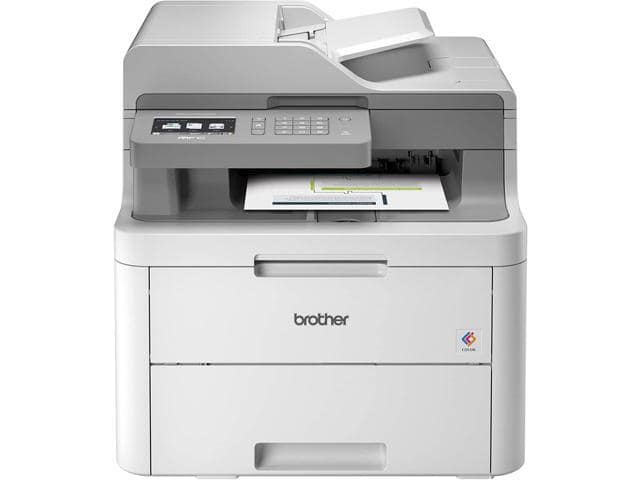
Brother MFC series MFC-J625DW Up to 35 ppm Black Print Speed 6000 x 1200 dpi Color Print Quality Wireless (802.11 b/g/n) InkJet MFC / All-In-One Color Printer
SKU: 9SIAG0CJ5P1877Thương hiệu: KHAC
Còn hàng· Giao hàng sau 3 ngày
22.309.755 ₫
Giá chưa gồm VAT 8% · Đã gồm VAT: 24.094.535 ₫ / sản phẩm
Hoặc thuê từ 743.659 ₫/tháng — phù hợp cho dự án ngắn hạn.
Điện ước tính: 86 kWh/tháng · ~280.800 ₫/thángTính TCO chi tiết
Tạm tính: 22.309.755 ₫
Bảo hành 36 tháng
Chính hãng
Giao sau 3 ngày
Toàn quốc
Hỗ trợ kỹ thuật
24/7 qua hotline
Hoá đơn VAT
Đầy đủ, đúng hạn
Mua càng nhiều, giá càng tốt
| Số lượng | Đơn giá | Tiết kiệm |
|---|---|---|
| 1–2 máy | 22.309.755 ₫ | — |
| 3–9 máy | 21.640.462 ₫ | −3% |
| từ 10 máy | 20.971.170 ₫ | −6% |
Giá trên chưa gồm VAT. Đơn từ 20 máy trở lên hoặc kèm dịch vụ triển khai, gọi 1900 636 106 để có mức riêng.
Máy lắp vừa linh kiện này
tham khảo theo thông số trên tên hàngMô tả sản phẩm
 Flexible NetworkingBuilt-in wireless 802.11b/g/n and Ethernet network interfaces allow you to share this printer with multiple users on your network. Eliminate extra cables and conveniently place your printer with wireless networking.
 1.9″ TouchScreen plus Touch Panel Color LCD DisplayEdit and enhance images conveniently. And the LCD display features easy help menus enabling you to master how to use it quickly and offering interactive navigation.
 Easily Print Two-sided DocumentsThe MFC-J625dw produces professional-looking two-sided documents, brochures and booklets using the automatic duplex printing feature. This feature can help reduce your paper use and save money.
 Unattended Fax, Copy or Scan and Photo Bypass TrayThe MFC-J625dw allows for unattended fax, copy and scan of up to 20± page documents using the automatic document feeder. And the bypass tray holds up to 20 sheets of 4″ x 6″ glossy photo paper.
 Fast Color Printing on DemandThe MFC-J625dw features fast mode printing with speeds up to 35ppm black and 27ppm color while up to 12 ppm black and 10 ppm color (ISO/IEC 24734).
 Brother iPrint&ScanFree app can be downloaded for wireless printing (JPEG & PDF) from your Apple, Android or Windows Phone 7 (JPEG only and scanning not available) mobile device.
Learn more about the Brother MFC-J625DW
| Cartridges Compatible | LC71BK, LC71C, LC71M, LC71Y, LC75BK, LC75C, LC75M, LC75Y, LC752PKS, LC753PKS |
|---|
| Brand | Brother |
|---|---|
| Series | MFC series |
| Model | MFC-J625DW |
| Recommended Use | MFC / All-In-One |
| Print Technology Print Technology | InkJet |
|---|---|
| Output Type | Color |
| Black Print Speed | Up to 35 ppm |
| Color Print Speed | Up to 27 ppm |
| Black Print Quality | 6000 x 1200 dpi |
| Color Print Quality | 6000 x 1200 dpi |
| Duplex printing Duplex printing | Yes |
| Max. Duty Cycle Max. Duty Cycle | Up to 2500 pages |
| Copy speed, Black | Up to 23 cpm |
|---|---|
| Copy speed, Color | Up to 20 cpm |
| Copy Reduction / Enlargement | 25% – 400% |
| Scan Resolution, Optical Scan Resolution, Optical | 1200 x 2400 dpi |
|---|---|
| Scan Resolution, Enhanced | 19200 x 19200 dpi |
| Scan Technology | 36bit |
| Color Fax | Yes |
|---|---|
| Fax Transmission Speed (seconds per page) | Approx. 7 Sec. Per Page |
| Fax Memory | Up to 400 Page |
| Input Capacity, std. | Up to 100-Sheet Input Capacity; up to 20-sheet 4×6 Photo Bypass Tray |
|---|---|
| Output Capacity, std. | 50 sheets |
| Media Type | Innobella Glossy 8.5″ x 11″ Photo Paper (BP71GLTR); Innobella Glossy 4″ x 6″ Photo Paper (BP71GP20), Brother Plain Paper BP60MPLTR, Innobella Glossy 8.5″ x 11 Photo Paper (BP61GLL), Innobella Glossy 4″ x 6″ Photo Paper (BP61GPL20), and 3M 3410 Transparency Film. |
| Media sizes supported | Letter, Legal, Executive, Envelope (C5 Envelope, Com-10, DL Envelope, Monarch, JE4 Envelope), A4, Photo 4″x6″, 3.5″x5″, 5″x7″, 5″x8″, 8″x10″ |
| USB Ports | Hi-Speed USB 2.0 |
|---|---|
| Other Ports | Wireless (802.11b/g/n) PictBridge Interfaces Media Card Slots USB Flash Memory Drive |
| Connectivity Technology | Wireless (802.11 b/g/n) |
| Digital Media Memory Card Compatibility | SD, SDHC, MemoryStick, MemoryStick Pro, MemoryStick Pro Duo |
| Noise Level (Approx.) | 50dBA or Less |
|---|---|
| Power Requirements | AC 100-120V 50/60Hz |
| Power Consumption | 3.5/6/28 W (Sleep/Ready/Copying) |
| Emulations | GDI |
|---|
| Features | Built-in Wireless Capabilities. Easy-to-setup wireless (802.11b/g/n) network interface.
1.9″ TouchScreen plus Touch Panel Color LCD Display. Edit and enhance images and easily read help menus. Duplex (2-sided) Printing. Create two-sided documents and save paper with duplex printing. Unattended Fax, Copy or Scan. Up to 20-sheet auto document feeder. Fast Color Printing on Demand. Fast mode printing with speeds up to 35ppm black and 27ppm color. Up to 12 ppm black and 10 ppm color (ISO/IEC 24734). Photo Bypass Tray. The bypass tray holds up to 20 sheets of 4″ x 6″ glossy photo paper. Brother iPrint&Scan. Free app download for wireless printing (JPEG & PDF) from and scanning to your Apple, Android or Windows Phone 7 (JPEG only) mobile device. 4-Cartridge Ink System. Only change the cartridge that needs to be replaced. ENERGY STAR Qualified. |
|---|
| Dimensions | 15.9″ x 14.9″ x 7.1″ |
|---|---|
| Weight | 19.8 lbs. |
| Package Contents | Printer (4) Cartridges LC71 Series CD-ROM – Assembly for Windows and Mac User’s Manual Quick Setup Guide Telephone Line Cord |
|---|
| Date First Available | August 29, 2022 |
|---|
Anonymous
Ownership: 1 week to 1 month
Verified Owner
Great Printer For The Money9/7/2012 10:15:43 AM
Pros: Price of Ink is a huge deal here, you can get refilled cartridges for less than a buck online, that makes this printer the most economical printer I have ever owned.
It has a fax which is great, the Wifi is also great, all in all you get a lot for very little money.
You can print from iOS and Android devices
Cons: I wish the paper tray was less flimsy, bump into it once and you might ruin it.
Overall Review: Despite what others say, the setup of the wifi is painless and quick, everybody in this household can print from this printer no matter where they are.
Do not get it if you expect it to print flawless color photos, but for school it is perfect and it wont bleed you dry on ink.
Good value9/11/2012 4:43:43 PM
Pros: Easy to use, lots of functions, low cost.
Cons: Small ink cartridges
Overall Review: Would not install on laptop running Vista 64bit. Got fatal error code when trying to install built-in drivers or drivers from the included install disc. Driver downloaded from Brother worked.
Brother MFC-J625DW8/30/2012 10:59:01 AM
Pros: No need USB cable. Easy to set up. Just one pressing one button on router than you are good to go.
Cons: It said the USB cable installation is recommended with big mark. So I thought I need a USB cable.
Overall Review: Nevermind on what I wrote on pre-reivew. You don’t need a USB cable if your rounder has WPA wireless protection button.
Just press hold it and this printer will dectect your SSID etc connection Info.
Works great with Ubuntu 13.045/23/2013 8:33:16 AM
Pros: I got this primarily so I could do scanning and eliminate all paper from the house. This also gives me the capability to print things in color if needed. I have so far scanned about 2000 pages without a single jam, which can’t be said for HP.
All printer drivers for linux is located at welcome.solutions.brother.com/bsc/public_s/id/linux/en/index.html
Cons: The installation of the drivers and debian files were a bit painful. You have to save the deb and install them from command line in a certain order.
Overall Review: Some helpful installation instructions that worked for me.
The lpr has to be installed before cupswrapper. Then install the other drivers, I did PCFax second…again lpr before cups. Finally the scanner itself, which requires brscan4. Again this has to be installed from terminal with sudo dpkg -i –force-all (file location). Once this is complete you have to get the deb file for normal user operation so download the brother-udev-rule-type1-1.0.0-1.all.deb a link is provided for download at welcome.solutions.brother.com/bsc/public_s/id/linux/en/instruction_scn1c.html#u13.04. What Brother has failed to update is “/lib/udev/rules.d/40-libsane.rules” file even for 13.04 has to be updated. So use gedit in terminal to open the file and add the
# Brother scanners
ATTRS{idVendor}==”04f9″, ENV{libsane_matched}=”yes”
where they tell you on the website.
i wasn’t able to get their scan-key-tool to work…didn’t spend that much time on it either tho. Instead I got Gscan2pdf from Unbuntu software center. I would like to see how the scan-key-tool works so will work on that further this weekend.
Regardless overall this thing is Rock solid and well worth every penny. Good Job Brother for a solid product and providing the Linux support we need!!!
Grate12/19/2012 9:53:18 AM
Pros: works grate. wifi was ez to setup, wifi setup is all on screen. .(no need to plug in to computer) it finds your network you put password in and its DONE!! downloaded new software off brothers site and install on laptops and desktop. and works grate.
Cons: ummm none.
Overall Review: thanks newegg for the grate price and fast shiping
Anonymous
Ownership: 1 day to 1 week
Verified Owner
Great printer. price and service11/22/2012 10:51:16 PM
Pros: Tons of features
LCD touchscreen
Drivers are fairly non invasive
Cons: The wireless setup can be tricky to set up, I had to use a regular usb printer cable (which wasn’t included, but really, who doesn’t have a few of these kicking around?) to hook it up to my computer, complete the wifi setup wizard again (the fifth time I entered my wifi details, tried 4 times on the printer itself and it didnt want to connect). After this, it still didn’t connect and then I redid the wifi setup wizard on the printer itself and it finally connected. Don’t have a router with WPS or AOSS but those would have probably been a lot easier to use than entering all the details manually. If you aren’t tech-savvy and patient, this printer might not be something you should look forward to setting up.
Overall Review: I ordered this product at just past noon on Nov. 20th before I went to work and the next day at the usual Purolator delivery time (10:30 a.m.), the printer was delivered. I picked up this printer on sale, about half price and free shipping (did I mention 10 minutes after I ordered it they sold out) and I cannot find anything to complain about pertaining to the service I was given and I feel I got more than what I paid for.
I had an old HP deskjet which I have been using for about 6-7 years now and this printer makes me regret not upgrading sooner.
Great Printer10/27/2012 10:37:44 PM
Pros: Works and it works well, no complaints so far.
Cons: Photo printing isnt very detailed but acceptable
WORKS GREAT!3/1/2012 7:22:27 PM
Pros: easy to install. does everything it’s supposed to do. Good unit for the price!
Cons: none
Overall Review: using for office work. I didn’t want to pay a fortune for something that will probably only last a couple years at best….no matter what the cost! Very nice machine for the money.
Điểm nổi bật
- MFC-J625DW Up to 35 ppm 6000 x 1200 dpi
Sản phẩm tương tự
Sẵn hàngBH 36 tháng
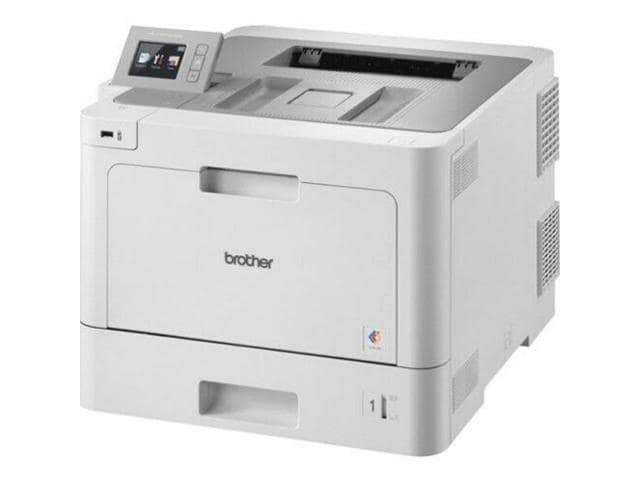
Brother HL-L9310CDW Business Color Laser Printer – for Mid-Size Workgroups
Khách hàng cũng xem