
 Flexible networkingThe HL-2270DW features wired Ethernet and 802.11 b/g wireless network connectivity for connection to your home or office network, so you can share the printer among multiple computers. With the wireless connectivity, put the HL-2270DW anywhere that is convenient.
 Easily print two-sided documentsThe HL-2270DW produces professional-looking two-sided documents, brochures and booklets using the automatic duplex printing feature. This feature can help reduce your paper use and save money.
 Fast laser printingThe Brother HL-2270DW features breathtaking print speeds of up to 27ppm in monochrome to improve your productivity.
 High-quality outputWith print resolutions of up to 2400 x 600 dpi, the Brother HL-2270DW produces professional-looking output with crisp text and excellent graphics.
 Convenient paper handlingThe HL-2270DW can meet all of your printing needs via an adjustable, 250-sheet capacity paper tray that easily handles letter or legal size paper and a manual feed slot for printing envelopes and letterhead.
 Toner Save modeUse less toner and save money by using Toner Save mode for your less critical business documents.
 Eggxpert Review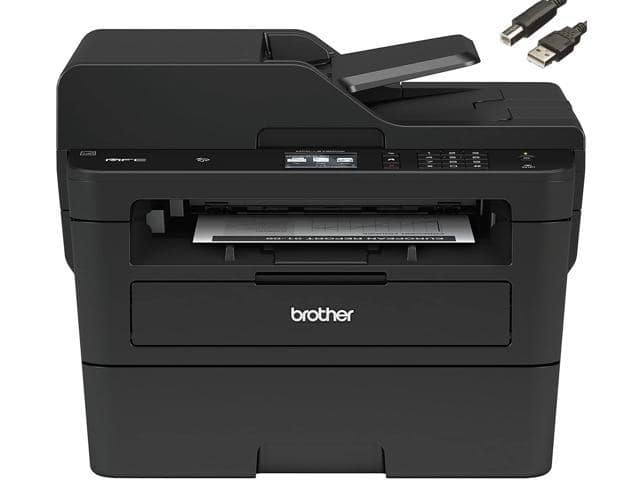
Brother HL-2270DW Wireless Monochrome Laser Printer
SKU: 9SIBG1HJ8B2933Thương hiệu: KHAC
Còn hàng· Giao hàng sau 3 ngày
18.585.255 ₫
Giá chưa gồm VAT 8% · Đã gồm VAT: 20.072.075 ₫ / sản phẩm
Điện ước tính: 86 kWh/tháng · ~280.800 ₫/thángTính TCO chi tiết
Tạm tính: 18.585.255 ₫
Bảo hành 36 tháng
Chính hãng
Giao sau 3 ngày
Toàn quốc
Hỗ trợ kỹ thuật
24/7 qua hotline
Hoá đơn VAT
Đầy đủ, đúng hạn
Mua càng nhiều, giá càng tốt
| Số lượng | Đơn giá | Tiết kiệm |
|---|---|---|
| 1–2 máy | 18.585.255 ₫ | — |
| 3–9 máy | 18.027.697 ₫ | −3% |
| từ 10 máy | 17.470.140 ₫ | −6% |
Giá trên chưa gồm VAT. Đơn từ 20 máy trở lên hoặc kèm dịch vụ triển khai, gọi 1900 636 106 để có mức riêng.
Máy lắp vừa linh kiện này
tham khảo theo thông số trên tên hàngMô tả sản phẩm
The HL-2270DW is a monochrome laser printer that offers an automatic duplex capability for printing two-sided documents with ease, fast printing at up to 27 pages per minute, and built-in wired and wireless networking for sharing with others. It features a stylish, space-saving design that fits virtually anywhere and complements any environment. In addition, it offers convenient paper handling via an adjustable, 250-sheet capacity tray. Affordable to own and operate, the HL-2270DW uses a high-yield replacement toner cartridge to help reduce your operating costs. The Brother HL-2270DW is an economical way to connect all your computers to one brilliant laser printer!
 Flexible networkingThe HL-2270DW features wired Ethernet and 802.11 b/g wireless network connectivity for connection to your home or office network, so you can share the printer among multiple computers. With the wireless connectivity, put the HL-2270DW anywhere that is convenient.
 Easily print two-sided documentsThe HL-2270DW produces professional-looking two-sided documents, brochures and booklets using the automatic duplex printing feature. This feature can help reduce your paper use and save money.
 Fast laser printingThe Brother HL-2270DW features breathtaking print speeds of up to 27ppm in monochrome to improve your productivity.
 High-quality outputWith print resolutions of up to 2400 x 600 dpi, the Brother HL-2270DW produces professional-looking output with crisp text and excellent graphics.
 Convenient paper handlingThe HL-2270DW can meet all of your printing needs via an adjustable, 250-sheet capacity paper tray that easily handles letter or legal size paper and a manual feed slot for printing envelopes and letterhead.
 Toner Save modeUse less toner and save money by using Toner Save mode for your less critical business documents.
Learn more about the Brother HL-2270DW
| Cartridges Compatible | TN420, TN450 |
|---|
| Brand | Brother |
|---|---|
| Model | HL-2270DW |
| Recommended Use | Workgroup |
| Display | No |
| Output Type | Monochrome |
|---|---|
| Laser Technology Laser Technology | Laser |
| Black Print Speed | Up to 27 ppm |
| Black Print Quality Black Print Quality | 2400 x 600 dpi |
| Time To First Page (seconds) | 8.5 sec. |
| Emulations | GDI, PCL6 |
| Duplex printing Duplex printing | Yes |
| Max. Duty Cycle Max. Duty Cycle | Up to 10,000 pages monthly |
| Input Capacity, std. Input Capacity, std. | 250 sheets |
|---|---|
| Output Capacity, std. Output Capacity, std. | 100 sheets |
| Media Type | Plain, Bond, Envelopes, Labels |
| Media sizes supported | Letter, Legal, Executive, A4, A5, A6, B5, B6, Envelopes Custom Sizes: 3.0″ – 8.5″, 4.57″ – 14″ |
| USB Ports | Hi-Speed USB 2.0 |
|---|---|
| Network Ports Network Ports | Ethernet 10/100BaseTX (RJ-45) |
| Other Ports | Wireless 802.11b/g |
| Connectivity Technology | Wireless 802.11b/g/n |
| Noise Level (Approx.) | 31dBA / 53dBA (Ready / Printing) |
|---|---|
| Processor(MHz) | 200 |
| Memory, std. Memory, std. | 32 MB |
| Memory, max. | 32 MB |
| Power Requirements | AC 120V 50/60 Hz |
| Power Consumption | 0.9W (Sleep WLAN On: 2.8W)/65W/495W (Sleep/Ready/Printing) |
| Features | Flexible networking
Easily print two-sided documents Fast laser printing Convenient paper handling Stylish, compact design Easy to set up and use High-quality output Toner Save mode Multi-purpose Tray Capacity: Single-sheet manual bypass |
|---|
| Dimensions | 14.5″ x 14.2″ x 7.2″ |
|---|---|
| Weight | 15.4 lbs. |
| Date First Available | October 05, 2022 |
|---|
Best Investment I’ve Made5/11/2012 2:45:24 PM
Pros: Black & White Prints Are Done Quickly
Out of the box support for Duplexing
Multiple Printing Options
Cons: Toner is a bit expensive
Drivers on CD aren’t that good. Download drivers from Brother’s website
Must be set up with USB/Ethernet before using WIFI
Printer is Loud and Causes Electrical Interference with House.
Nice little printer3/19/2012 2:39:59 PM
Pros: No problems after 4 months of use. Wireless works fine, just the usual network setup hassles that you have with any wireless device.
Even considering the low capacity OEM toner cartridge, it is still far cheaper to use than any ink jet printer I know of.
Cons: The low toner message came on after about 400 pages on the original toner cartridge. Order a spare right away if you plan on using your printer very much.
Excellent printer2/24/2012 7:11:03 PM
Pros: It connects in any way….wired ethernet, wireless ethernet, or USB. Prints very fast. Even with Toner Saver on, prints come out nice and deep black. Fairly quiet despite being a laser printer. Compatible replacement toner is very cheap (roughly $25 for a Linkyo TN450 compatible at a “super media store”, 2600 yield, which breaks down to less than $0.01 per page).
Cons: None
Overall Review: Had no problems setting up for wireless; took less than 5 minutes. (1) Run the included CD, choose wireless setup. (2) Hook it up temporarily with USB or wired ethernet, enter your settings, disconnect the USB or Cat5. (3) Install driver. (4) Print! First Brother product I’ve owned, would gladly buy another.
Great!8/22/2012 7:04:35 AM
Pros: Great!
Cons: None!
Great printer for its price2/6/2011 12:57:52 AM
Pros: Does what it is supposed to do.
To those complaining about dimming lights, All laser printers tend to do that. They have high temperature fusers which will draw a lot of power in order to reach operating temperature. Also, if you have a UPS, DO NOT EVER HOOK LASER PRINTERS to your UPS. I can damage both, your printer and the UPS. Just leave printers out of your battery backed up circuit.
Cons: None.
Just works.11/14/2010 7:28:02 PM
Pros: Wifi. Quick startup, small, duplex (both sides) printing. Seems like an excellent workhorse printer for the home/home office. Leave the color printing to snapfish, save some money.
Duplex is kewl. Prints one side, then quickly sucks it back in, prints the other side and spits it out again. Lickety split. Printed a 20 page doc on 10 pages of paper. Look at me, I’m green.
If I get a few years out of this thing, it will be well worth the money. Get it when it goes on sale.
Cons: A little loud, hefty power draw during printing (can cause CFL lights to flicker/dim). Slight interference with my stereo when printing, but I suspect most cheap laser printers do that.
Overall Review: Easy setup by just plugging into network, then http:// to the printer’s web admin page. Decent enough administration/setup page so don’t have to use the software. Set up wifi, reserved IP on router, unplug from network, restart and viola wifi works.
Can install printer drivers via Windows 7 online driver update for all your computers, or download driver for XP etc from Brother and you won’t need to even put the CD in.
Great low cost printer1/3/2011 1:05:50 PM
Pros: This is a very low cost, small, lightweight, duplex, monochrome, networking laser printer. It was easy to set up, and prints beautifully.
Cons: The starter toner cartridge expires almost immediately, and the least expensive toner for this printer runs about $35 per cartridge. The starter cartridge can’t be easily refilled as there is no gear / lever to set the page count back. The lever / gear is sold by some 3rd party sites, but it is easier to spend the $35 then refill.
Overall Review: Add $35 to you estimated cost for this printer to include the print cartridge you’ll need almost from the instant you print page 1.
The Brother control center software works very nice with almost any PC or Mac, and if you have multiple brother printers it is very useful / helpful.
So far so good3/9/2011 12:06:02 PM
Pros: 1) Excellent quality copies on graphics and text and very fast.
2) Love the auto duplex feature
3) Relatively quiet operation and no noise or power consumption at all in rest mode. To the people that say it is noisy I think all laser printers are noisy. The noise is certainly not an issue for me it is quiet enough and no noisier than my Canon inkjet.
4) Love the flexibility of going either USB/ethernet/ wireless in connection. I am using the ethernet option and it works great and the setup was a snap with the supplied setup CD.
5) Nice looking unit very classy and sleek and square.
6) Firmware updates are a snap with the software supplied.
6) Generic toner is available for much cheaper operation.
Cons: 1) I do notice some very slight paper curling with #20 paper on the corners in duplex but it’s not a deal breaker. I will try #24 paper next. There are some adjustments in the menu to fix that.
2) Wireless hookup can be a little daunting if you are not WIFI savvy. The directions are a bit unclear to me but there is an auto installation CD if you know how to use it.
3) Footprint is a bit larger than my old inkjet printer so make sure you have room for it. It is more square and deeper than an inkjet.
Overall Review: I have not had this long enough to comment on toner usage or durability but first impression is it’s a winner. Some people claimed it made the lights dim. Well I am an electrician and if your circuit is only 15 amps and you have lots of stuff on it already sure it will dim the lights momentarily. That is more a function of your house wiring already being overloaded than this printer drain on the power. All laser printers use much more power than an inkjet not just the Brother. That is the nature of the beast. It does exactly what you want it makes high quality prints fast and cheaply. I was so sick of getting gouged for inkjet refills I decided to try this printer. I almost went with the Samsung 2525W but after seeing and using this unit I am very happy with my purchase. There is no after market toner yet that will work with the Samsung either. I give the Brother laser printer 5 Eggs for performance and looks thus far. I give Newegg customer support and fast shipping 5 stars.
Điểm nổi bật
- Up to 27 ppm 2400×600 dpi USB, Wireless and Ethernet Compatible 250 Sheet Standard Paper Capacity
Sản phẩm tương tự
Sẵn hàngBH 36 tháng
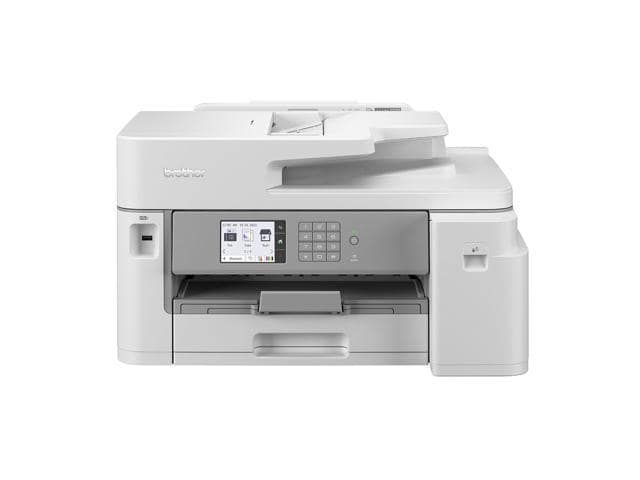
Brother INKvestment Tank MFC-J5855DW Wireless Color All-in-One Printer
Sẵn hàngBH 36 tháng
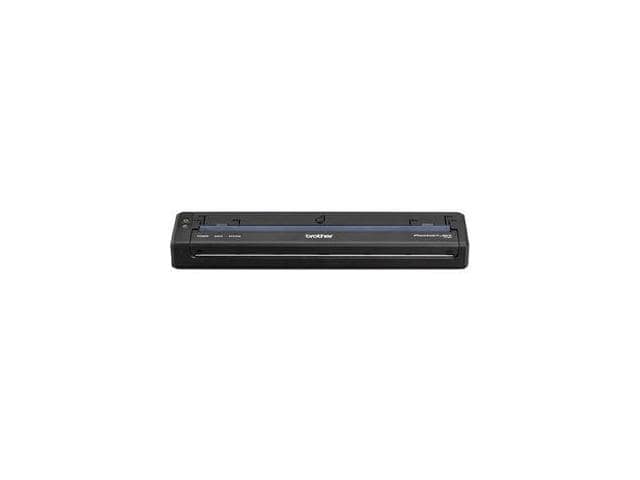
Brother PocketJet 8 PJ-862 Wireless Mobile Direct Thermal Printer Monochrome
Khách hàng cũng xem
Sẵn hàngBH 36 tháng
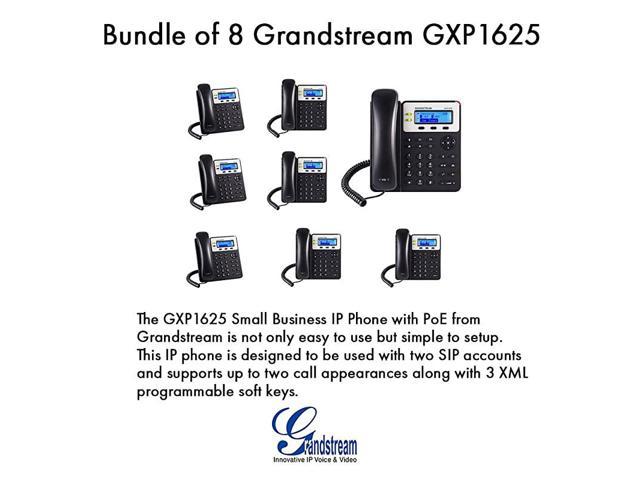
GXP1625 2 SIP acct SMB IP Phone Multilanguage PoE Bundle of 8
Sẵn hàngBH 36 tháng
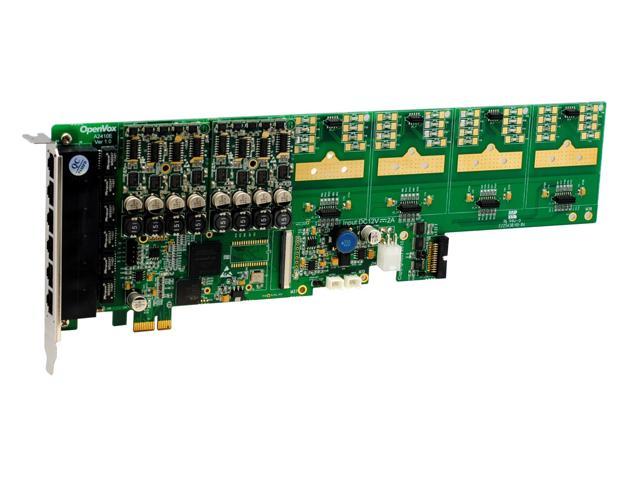
OpenVox A2410E20 24 Port Analog PCI-E Card Base Board + 2 FXS400 + 0 FXO400